In the last part of this tutorial, which dealt with the “Position Setup” menu, we briefly mentioned the window on the right in the menu window:
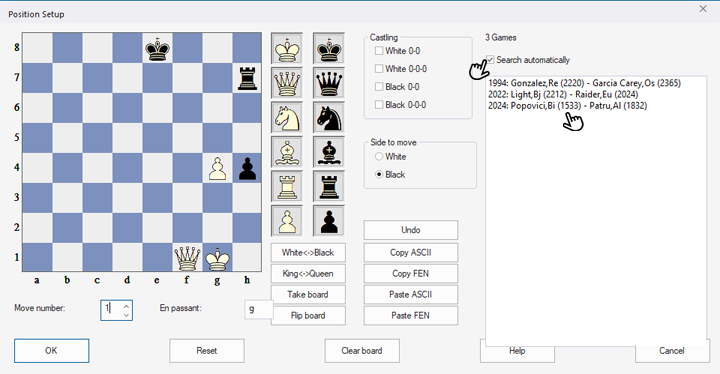
Here, because the "Search automatically" checkbox is checked, you'll see a list of all games from the Mega Database 2025 in which these pieces appeared. This means that there may be other pieces on the board in the three games shown. See how you can use this option effectively in practice:
The ChessBase Mega Database 2025 is the premiere chess database with over 11 million games from
1475 to 2024
The ChessBase Mega Database 2025 is the premiere chess database with over 11 million games from 1475 to 2024 in high quality. Packing more than 113,000 annotated games, Mega 2025 contains the world‘s largest collection of high-class analysed games. Train like a pro! Prepare for your opponents with ChessBase and the Mega Database 2025. Let grandmasters explain how to best handle your favorite variations, improve your repertoire and much more.
Take a stand
Suppose you came across this post in our news feed and wanted to investigate the pawn structure there:
If you now click on the download arrow at the bottom of the analysis window, a menu will open where you can click on “Download” or “Download & Copy - PGN”:
 The free app from ChessBase! ChessBase Mobile has everything you need as a chess player on the go:
access your chess data in cloud databases - and 13 million games.
The free app from ChessBase! ChessBase Mobile has everything you need as a chess player on the go:
access your chess data in cloud databases - and 13 million games.
ChessBase Mobile has everything you need as a chess player on the go:
- Access the ChessBase online database - with more than 13 million games: search for players, positions, openings etc.
- Save your own games and analyses in cloud databases
- Synchronise your personal databases across all your devices
- Analyse your games with the built-in engine
- Live opening book: use the most comprehensive and up-to-date statistics for every opening position
- Access your opening repertoire in the cloud: create and edit your personal opening repertoire
- 300 opening overviews, with repertoire suggestions: get started with new systems!
- Practise opening variations with three modes.
- Advanced notation: add comments, symbols, variations, arrows and markings to your games
- Advanced sharing options: share games and positions via link, image, GIF, FEN or QR code
- PGN compatibility: upload and download games or databases as PGN files
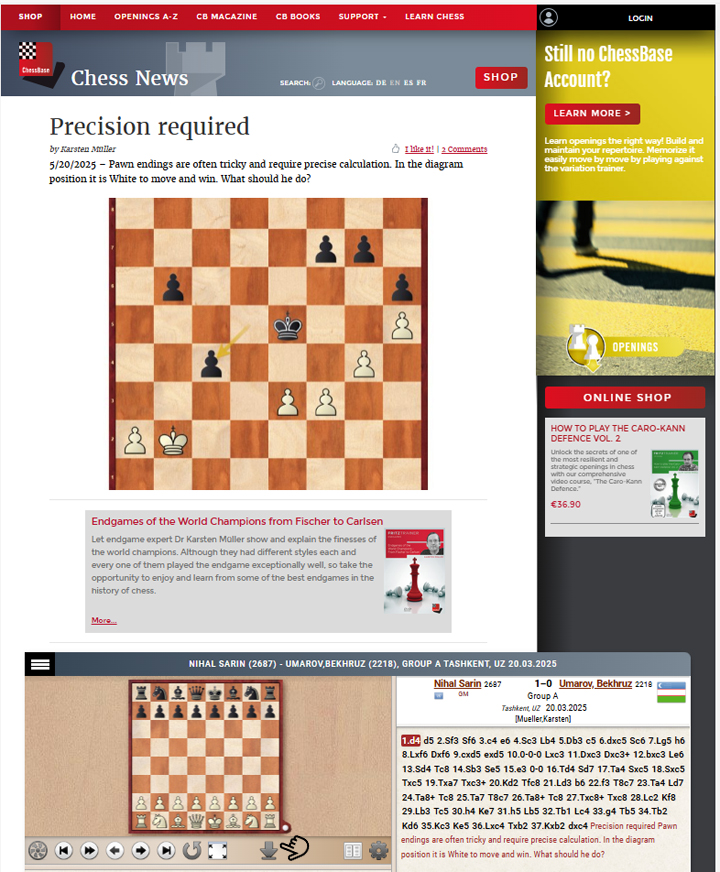
The game will then be saved in your download folder, and a window with the game will automatically open when ChessBase´26 is open.
YOUR EASY ACCESS TO OPENING THEORY: Whether you want to build up a reliable and powerful opening repertoire or find new opening ideas for your existing repertoire, the Opening Encyclopaedia covers the entire opening theory on one product.
YOUR EASY ACCESS TO OPENING THEORY
Be well prepared with the new Opening Encyclopaedia 2026! Whether you want to build up a reliable and powerful opening repertoire or find new opening ideas for your existing repertoire, the Opening Encyclopaedia covers the entire opening theory on one product and is the ideal start for your opening training. Many new articles enrich the current theory with new or revisited ideas. The Encyclopaedia can help you learn openings quickly and give you a head start on your next opponent. Each article contains explanations and annotated games illustrating typical plans to deepen your understanding.
In this new ChessBase window, press the “s” key as explained in the last part of this tutorial and the "Position Setup" menu will open, with the diagram position from the downloaded game:
 This course isn’t just another addition to your chess library—it’s the definitive guide to elevate your endgame play. From fundamental principles to advanced techniques, “Practical Endgames” covers every aspect of endgame strategy.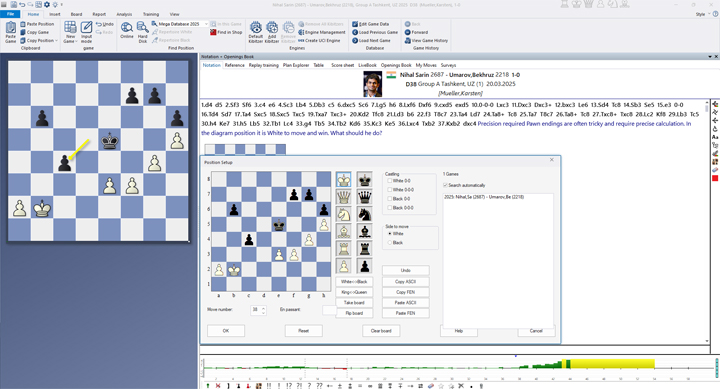
The right column displays all games in the database (here: MegaDatabase 2025) in which this piece arrangement (possibly with additional pieces) appears—in fact, this specific arrangement has never existed before. Only this original game is displayed in the right window.
But in pawn endgames, the structures are often treated equally, so it's possible that this position has already existed with the kings on other squares. Fortunately, you don't have to try every possible position—simply remove the kings from the board, as explained in Tutorial 15:
You now see the pure pawn structure, and 18 games are displayed in the display window. If you click on a game once, you will see the first position from that game where the pawns are positioned as you were looking for:
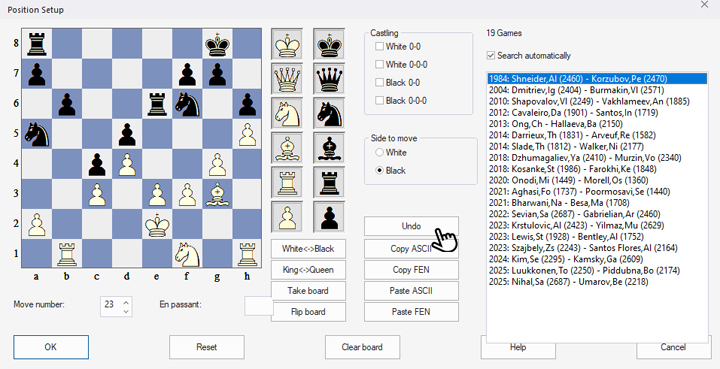
Click the “Undo” button in the middle to return to your position.
Double-clicking on one of the games will open it in the game window. Using the "Undo" and "Redo" buttons in the main menu bar, you can jump back and forth between the selected game and the original game.
Now we hope you enjoy analysing your positions.
2.5 million games
The new Corr Database 2026 is the large ChessBase collection of correspondence games from the period from 1804 to 2025. With more than 80,000 tournaments and over 2.5 million correspondence games, the Corr 2026 is a must for all Correspondence chess fans.
------
ChessBase has developed over decades to become what it is now in its 2026 version. The program has countless options, which we will present here in small portions – so you can design your interface for pleasant daily use and keep learning about new options and how to use them to get the most out of ChessBase´26 and save time.
We hope that this tip will help you to have more fun and be more successful when using ChessBase´26. You can find more tips and hints on our support pages and FAQ pages.
All parts of the series and more links: