

Player preparation differs from opening preparation in that it focuses on individuals rather than positions. Whether you’re analyzing yourself or an opponent you’re about to face, understanding strengths and weaknesses can provide a decisive edge. ChessBase offers several tools to make this process efficient and insightful.
First introduced in ChessBase18, the Style Report remains one of my favorite features. With near-instant analysis of a player’s games, it generates a detailed profile of their style, preferences, strengths, and weaknesses. Instead of manually combing through hundreds of games to spot patterns, ChessBase does the heavy lifting for you.
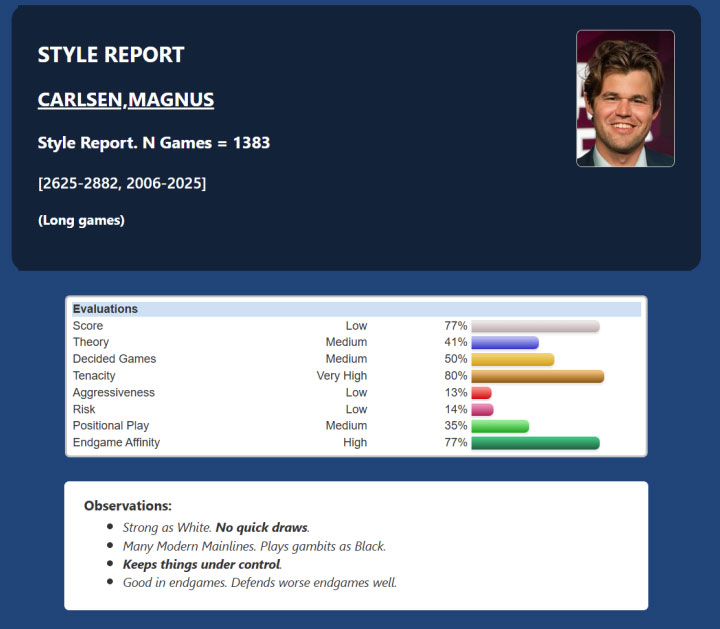
To access: Mega Database -> Players -> Choose player -> Style Report on the Top Pane
Run a Style Report on yourself to pinpoint strengths and weaknesses, then train accordingly.
Use it to prepare against opponents by understanding their stylistic tendencies.
Study model players in different eras—for instance, Magnus Carlsen’s early years—to learn from their development.
Closely related to the Style Report, the Error Report focuses on mistakes and accuracy rather than overall style. It highlights when and where a player tends to falter, comparing their performance to the level of an average grandmaster.
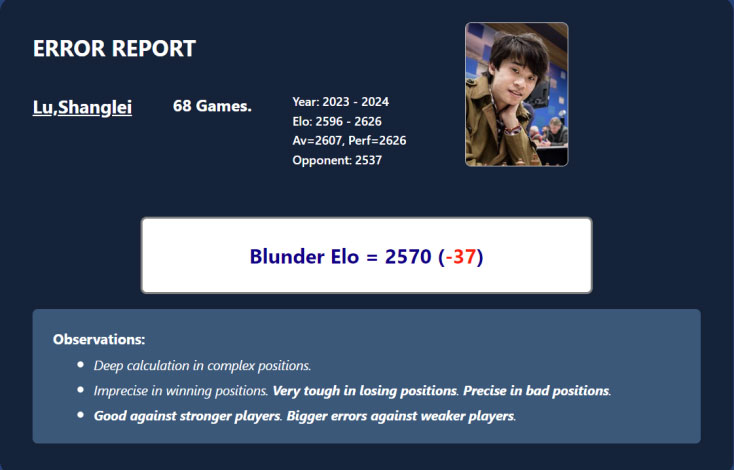
One particularly interesting metric is the Blunder Elo, which estimates a player’s strength in complex positions based on their error rate. This can be eye-opening for self-assessment and opponent preparation alike.
To access: Mega Database -> Players -> Choose player -> Error Report on the Top Pane
For a deeper dive into the Error and Style Reports, you can revisit my CB18 review, as the functionality remains largely unchanged in ChessBase´26.
Ever wondered who that mysterious opponent on Chess.com or Lichess really is? ChessBase offers a clever shortcut: the Identify Player option in the Mega Database. Simply input the username, and the software analyzes their games, comparing openings and playing styles against the vast database. The result? A list of matches showing not only the closest fit but also several nearby stylistic matches. It’s like unmasking your opponent with a click.
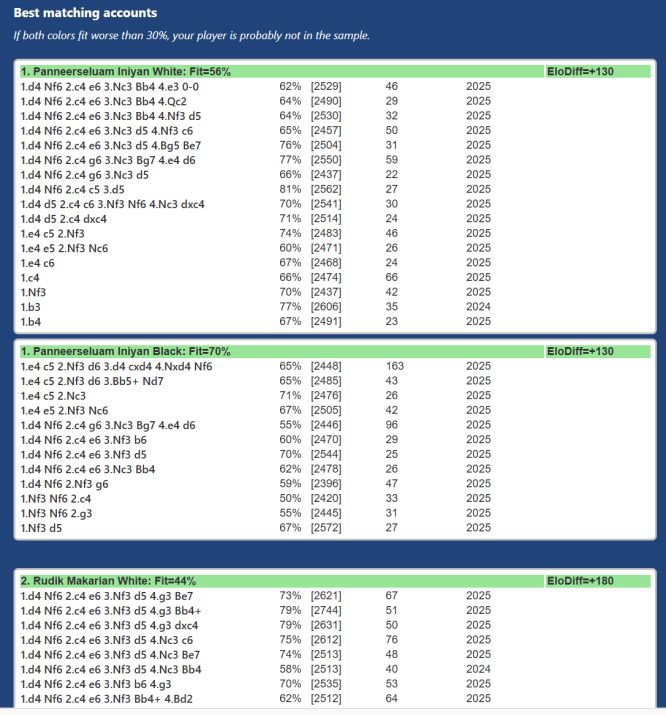
This feature isn’t just about curiosity. It can be a powerful preparation tool, helping you anticipate tendencies and patterns before you sit down to play.
To access: Mega Database -> Players -> Identify Player on the Top Pane
Use Identify Player to uncover the style and repertoire of online opponents.
Submit your own username to find elite players with similar styles—then model your repertoire after them. It’s a shortcut to learning from the best while staying true to your natural inclinations.
Within the player section, the Player Statistics option offers a quick snapshot of performance across all ECO codes—from A00 to E99. It also displays scores against individual opponents, neatly sorted by percentage. This feature is invaluable when you want to spot weaknesses at a glance, without wading through endless games. In seconds, you can identify which openings or opponents give a player trouble, and adjust your preparation accordingly.
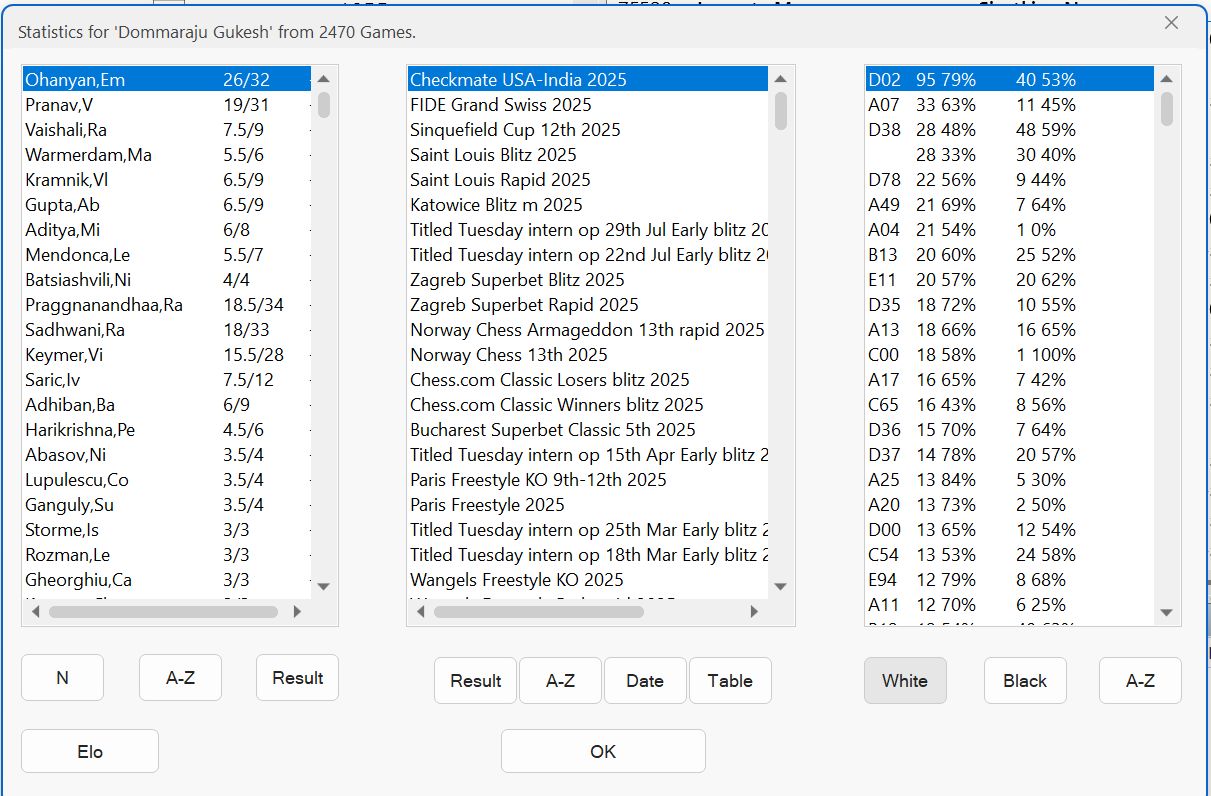
To access: Mega Database -> Players -> Statistics on the Top Pane
One of the under-appreciated features that exists in ChessBase. You can sort out all the games of a database in a jiffy into different ECO codes.
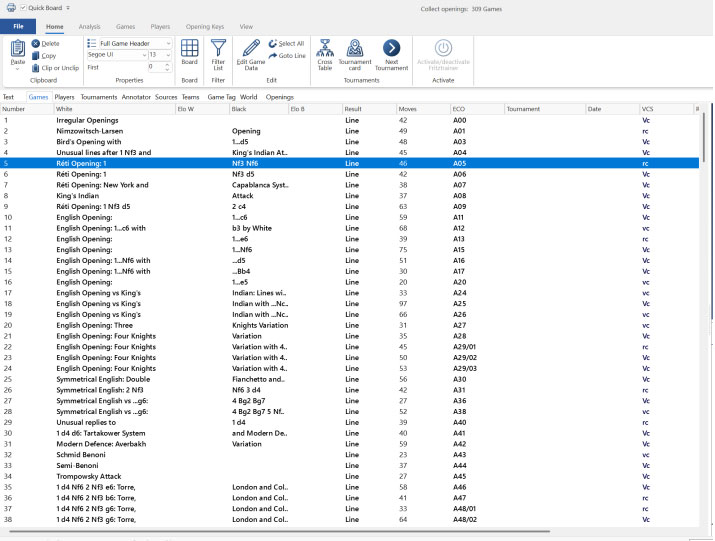
It is a very versatile feature that can be used in many ways. The most helpful that I found is, when you are preparing for an opponent you can select all the games of the player in any particular colour, create a new database out of it, and use the collect openings option. It will neatly sort out all the games of the player into ECO codes starting from A00 to E99 in whichever ones the games do exist. This way you can directly see all the games in an instant in whatever opening you want to focus on.
This feature can be accessed in the Home Page: Choose the database of games you want for report -> Report -> Collect Openings.
On the board, the Same Player option allows you to find games played by the same individual in similar positions even if those positions arise from different openings or move orders.
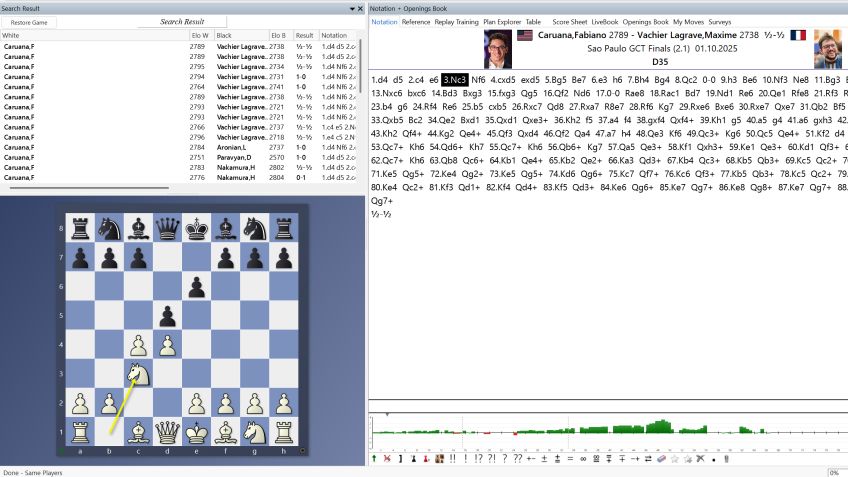
Take the Isolated Queen’s Pawn (IQP) structure as an example. It can appear in the Queen’s Gambit Accepted, Queen’s Gambit Declined, Caro-Kann, Sicilian Alapin, and many more. With this feature, you can study how a player consistently handles IQP positions, regardless of how they reached them. It’s a powerful way to understand their approach to middlegames and endgames, beyond the confines of opening theory.
To access: Board -> Report on the top pane -> Same Players
Use Same Player to study how elite players handle specific structures across different openings. This gives you a deeper understanding of their style and helps you model your own play.
Stay ahead of your opponents, buy ChessBase´26 now

Iniyan Panneerselvam, born 13 September 2002 in Tamil Nadu, India. He was introduced to chess at the age of five, and grew up in a family with a sports-oriented background. At age six he finished second in the national under-7 event, which qualified him for Asian and World Youth competitions in the under-8 category, securing a silver medal at the Commonwealth under-8 championship. At age 13 he won the Indian under-15 championship.
In July 2017, at age 14, Iniyan made his breakthrough on the international stage by finishing fourth at the Andorra Open, defeating the top-seeded grandmaster and gaining 20.4 Elo points. His rating progressed steadily, and he earned his International Master title 2017. He gained the GM title in March 2019, becoming India's 61st Grandmaster at the age of 16.