


In the last tutorial, we showed you how to create your own ChessBase´26 layout or use one of the predefined standard layouts. It's easy to switch between the different settings so you can analyse in the way that suits you best. The next step is to expand this view for a game so that you can work comfortably with several notations at the same time. This allows you to quickly insert references, copy comments or leave out unwanted information – everything just the way you want it...
First, check the Options section to see if multiple windows are enabled – a maximum of eight are possible:
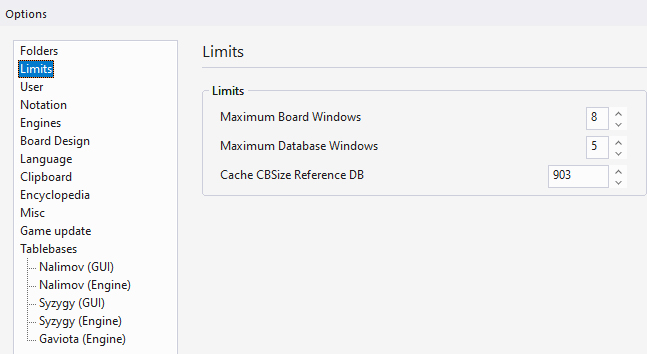
With "Maximum Board Windows" you define how many board windows can be open at the same time. That is, you do not have to close a board window to open another. The area for the main overviews of the databases is limited by the menu item ‘Maximum Database Windows’ (maximum 6). These are the categories (accessible via the ‘Text’, ‘Games’, ‘Players’, etc. tabs) of the database.
Next, we use a prepared database (or any other database, see tutorial series 9) and open it.
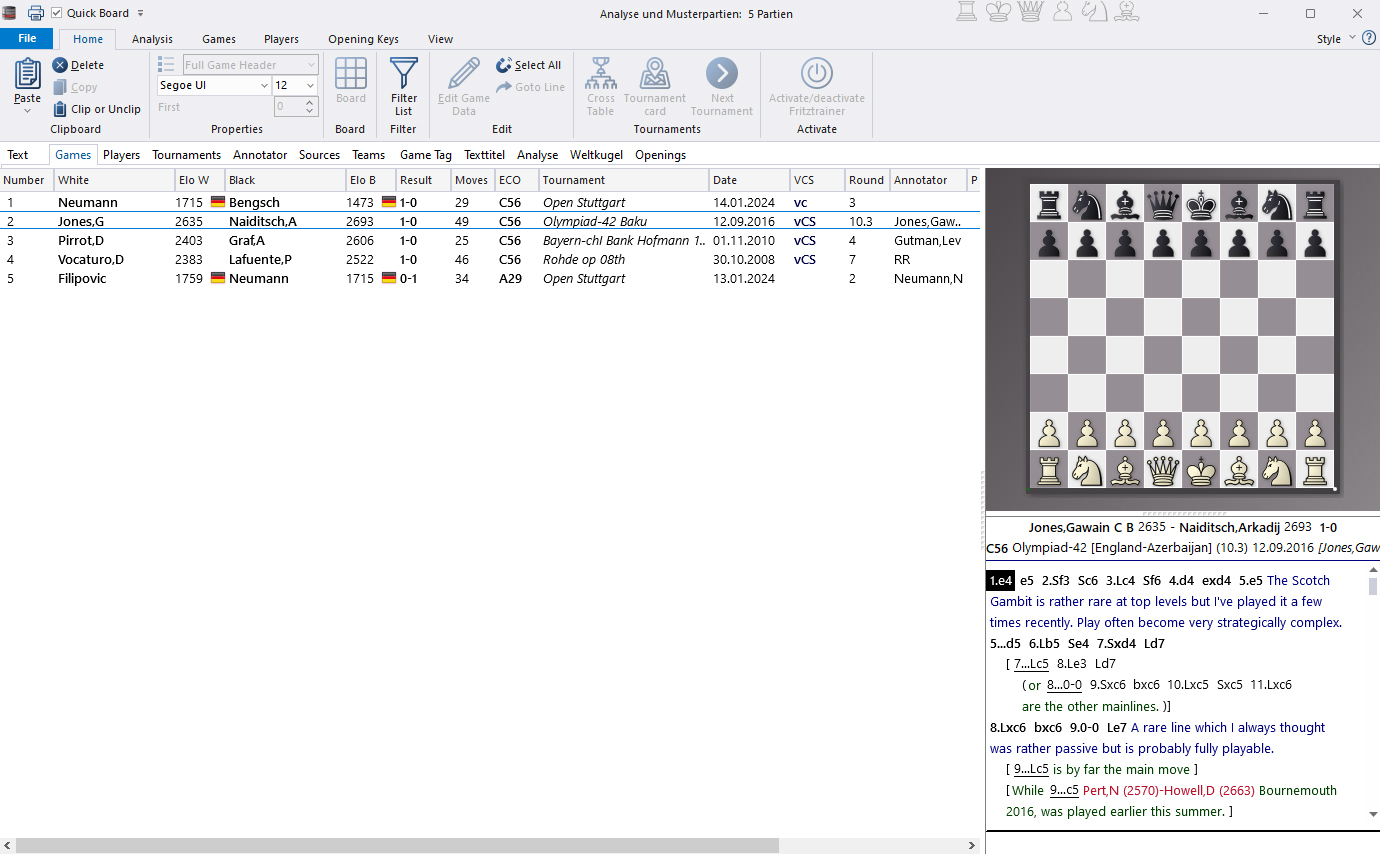
Of course, you could now analyse all these games individually. However, we will show you a way to quickly and effectively summarise your findings in an analysis by using the practical two-window approach:
From this database, we open number 1 (name and tournament invented, as in game 5), which already contains two variations, and number 2. The variations already contained in the game come from the prepared database, whose games numbered 2 to 4 are annotated and refer to the first game in terms of the opening.
Let's assume we want to look for supplementary material for game number 1 or for similar openings in the opening database or in this database. We can then arrange the windows side by side or spread across two screens. However, there is also an automatic function that displays two already opened games in full screen mode:
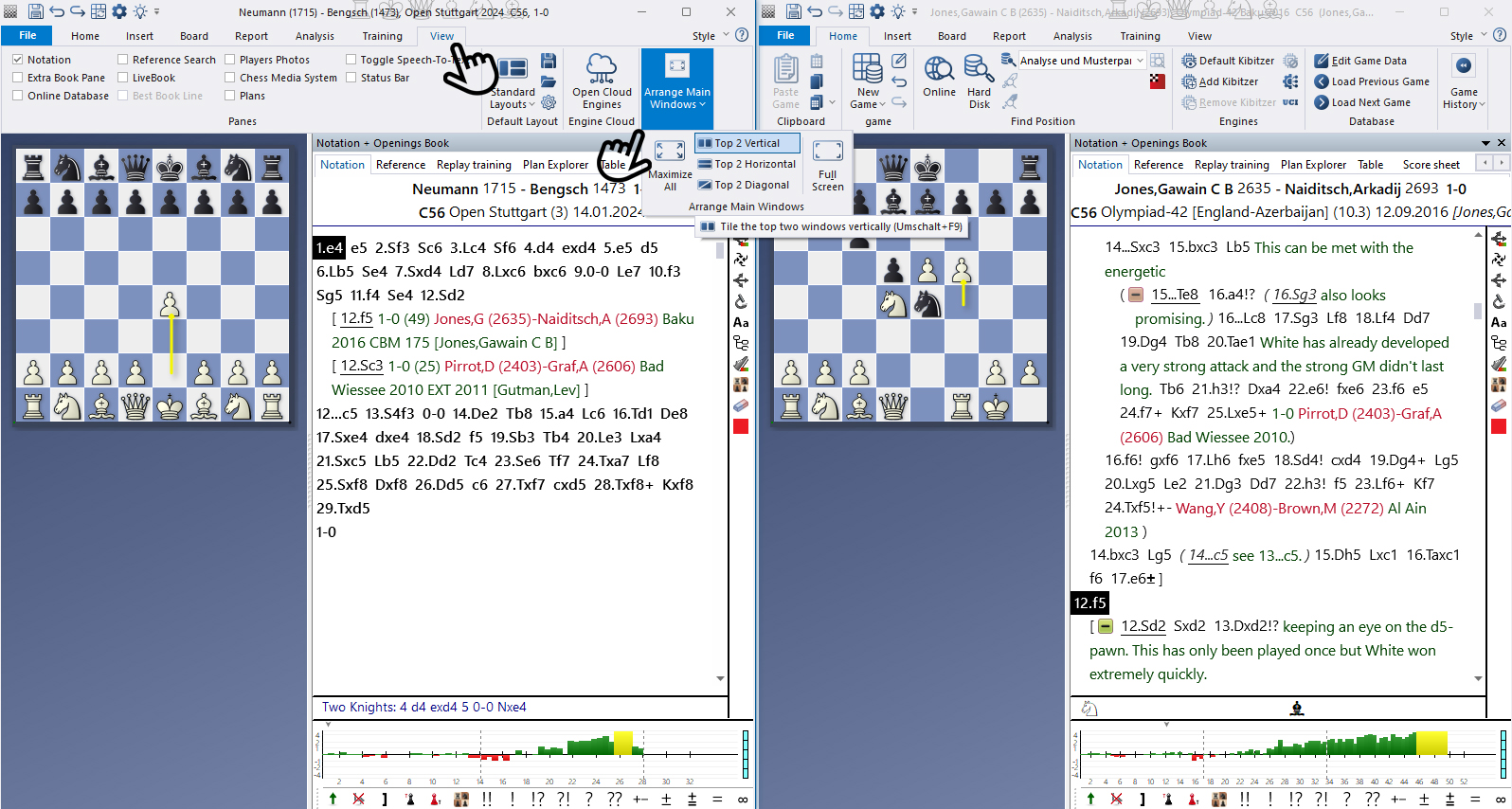
Under the main menu item ‘View’, in the ‘Arrange Main Windows’ section, you can choose between vertical, horizontal and diagonal arrangement of two windows – select ‘Maximise all’ or ‘Full screen’ to return to the larger view.
Keep your games unannotated in a database, and analyse them in a separately saved analysis (either in a separate database or in the same database).
As you can see in the last screenshot, a variation from the GM game on the right has already been integrated into the analysis game on the left. Try out for yourself the advantage of this dual-window view by dragging moves/variations from the right window to the left. Of course, the most interesting part is always the point in the game where the two examples differ. Here it is the 12th move, and a variation has already been inserted on the left from the right and another database game.
The easiest way to do this is to click on the move – in this case 12.f5 – in the master or model game, hold down the left mouse button and, when the plus sign appears on the mouse pointer, drag the variation – with the left mouse button still pressed – into the target window with your analysis. When you release the mouse button, the entire variation, including all comments, will be inserted.
If this is too much information, you can hide variants or delete parts of variants by clicking on the green minus sign (more on this in Part 5: Comments).
And never forget: You can undo every step with CTRL+Z!
------
ChessBase has developed over decades to become what it is now in its 2026 version. The program has countless options, which we will present here in small portions – so you can design your interface for pleasant daily use and keep learning about new options and how to use them to get the most out of ChessBase´26 and save time.
We hope that this tip will help you to have more fun and be more successful when using ChessBase´26. You can find more tips and hints on our support pages and FAQ pages.
All parts of the series and more links: