


In the previous tutorial, we showed you how to organise a database and expand it with additional games. In this episode, we'd like to show you how you can usefully and easily use your database for training purposes. A truly fascinating feature in this context is "Tactical Analysis".
View in the database
To explain this feature, we created a sample database with 14 games. Using the following explanations and screenshots, you can use your own database accordingly. This is our example:
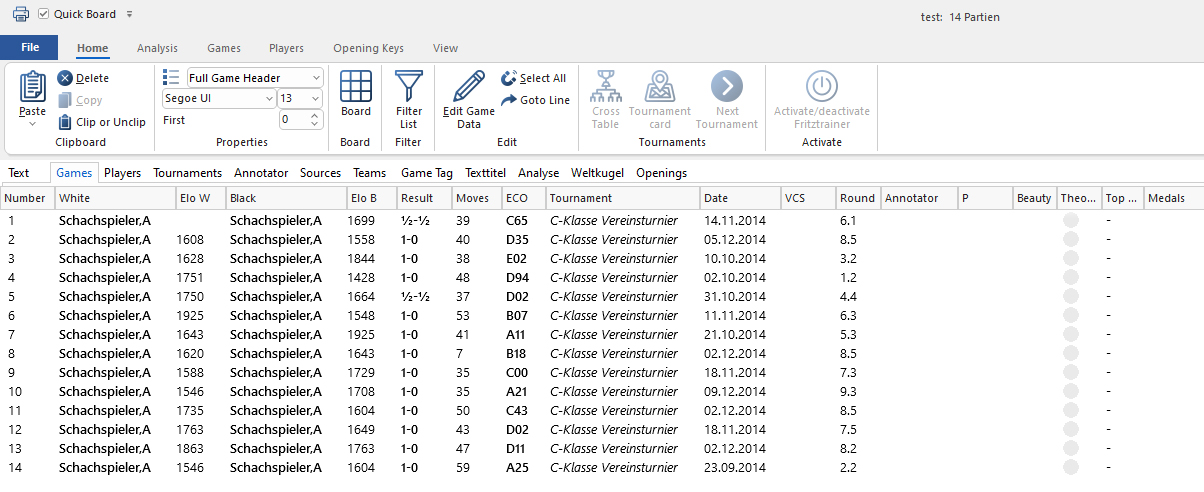
These are 14 anonymised games from a club tournament, which we use to demonstrate the possibilities of “Tactical Analysis.”
We assume that we want to use all games for training purposes. To do this, we can perform a "Tactical Analysis" for all games and open them game by game. We'll demonstrate this for game 1:
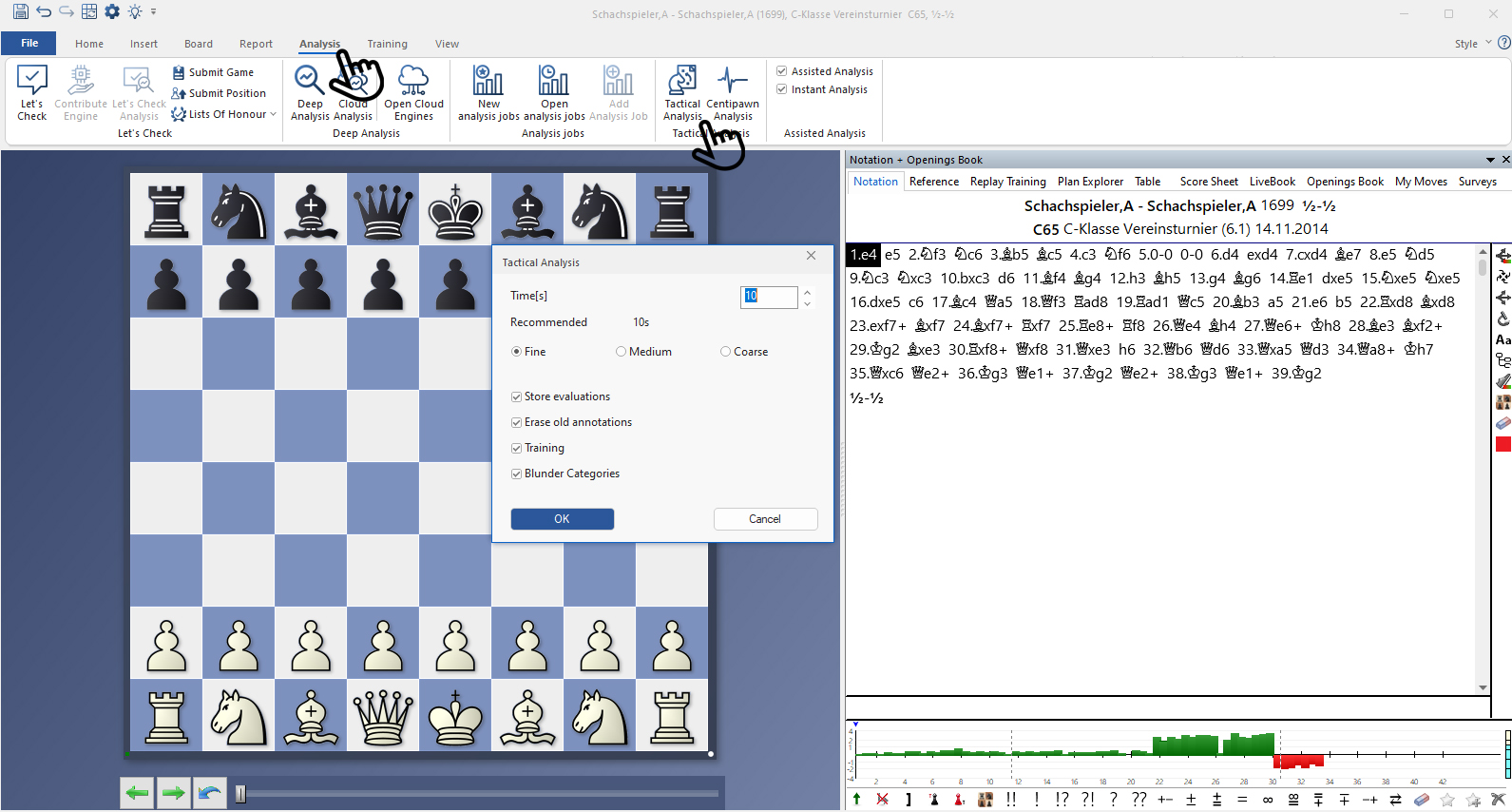
You can find this function by selecting "Analysis" from the main menu and then clicking on "Tactical Analysis". This opens the selection menu, which you can see in the middle. There you can set the calculation time and choose between "Fine", "Medium" and "Coarse", which of course determines the duration of the analysis. For experimental purposes, this should initially be set quite short – i.e. below the recommended setting (try 1 to start with). Below this, you can tick boxes depending on what you want to see. Once everything is set as desired, select "OK" and the analysis will begin. This can take a few minutes and depends on the computer.
Pro tip:
You can also select all the games you want in the database overview, and then run them together through the "Tactical Analysis" as described above. However, this can be time-consuming. Once the analysis is complete, the games will be appended to the end of your database.
We have performed the analyses with our 14 games and the database now looks like this:
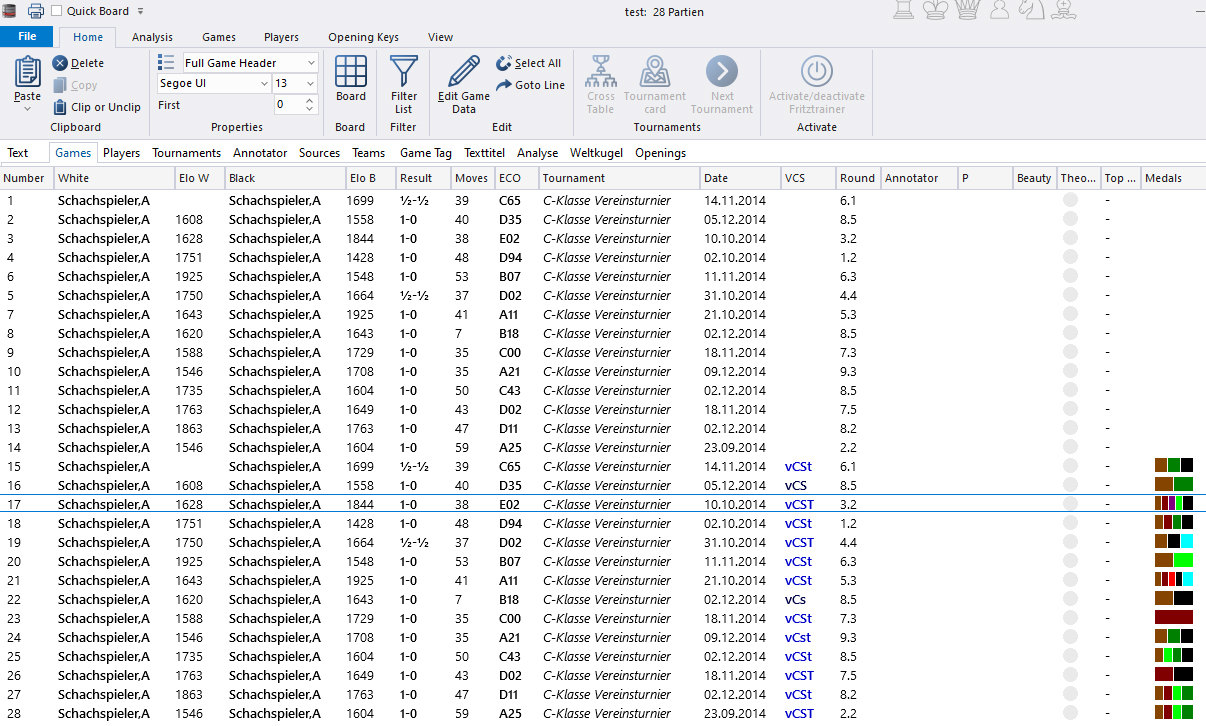
You can see that games 1 to 14 have all been added in annotated form at positions 15 to 28. In the "VCS" column, you can see that these new games are now marked as annotated in the database, and the "Medals" column also contains entries—more on that below.
Changes in notation
To demonstrate the changes in the analysed game, let's simply pick out game 17. The notation after the "Tactical Analysis" looks like this:
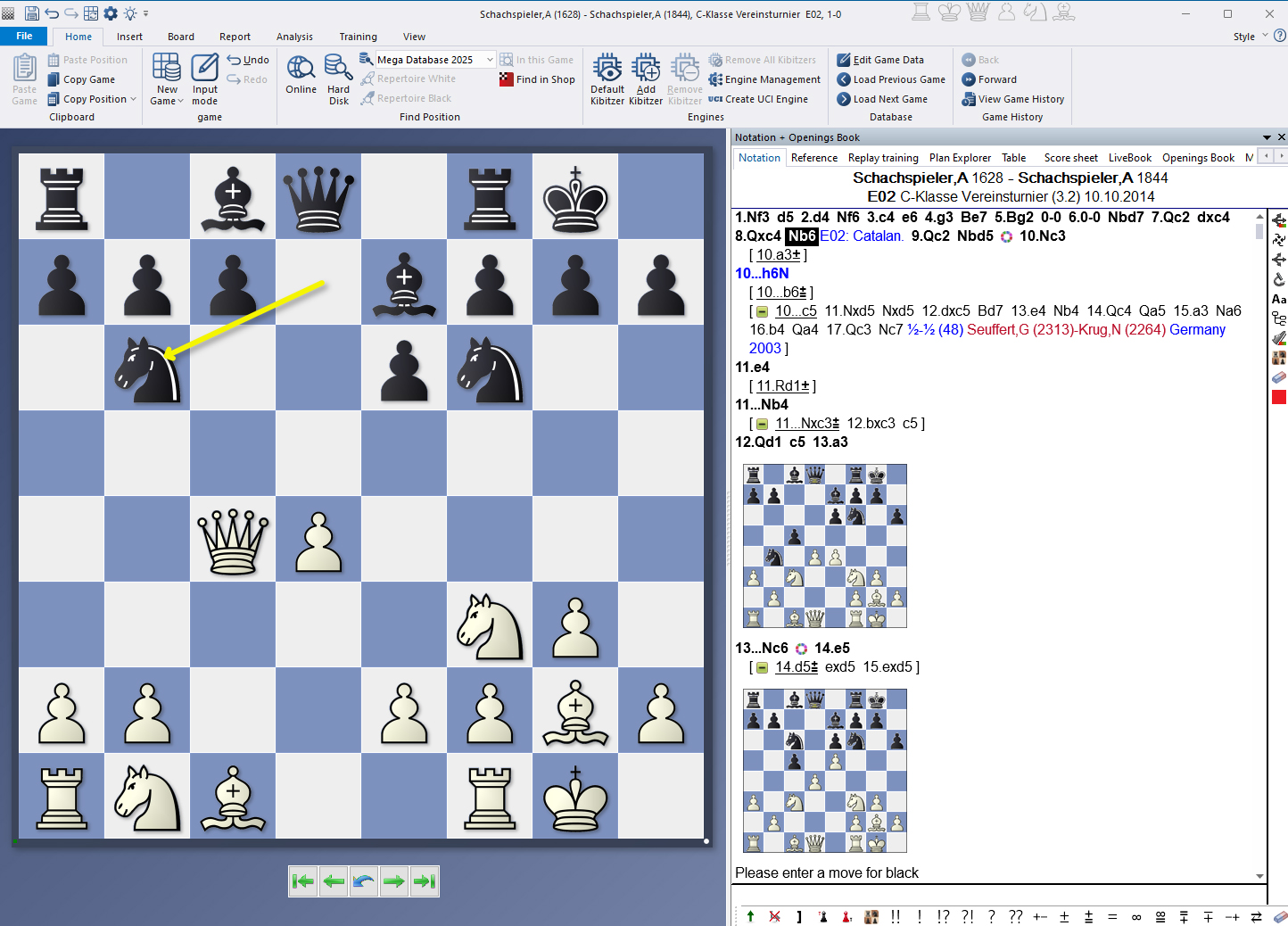
Here are some interesting changes to be seen:
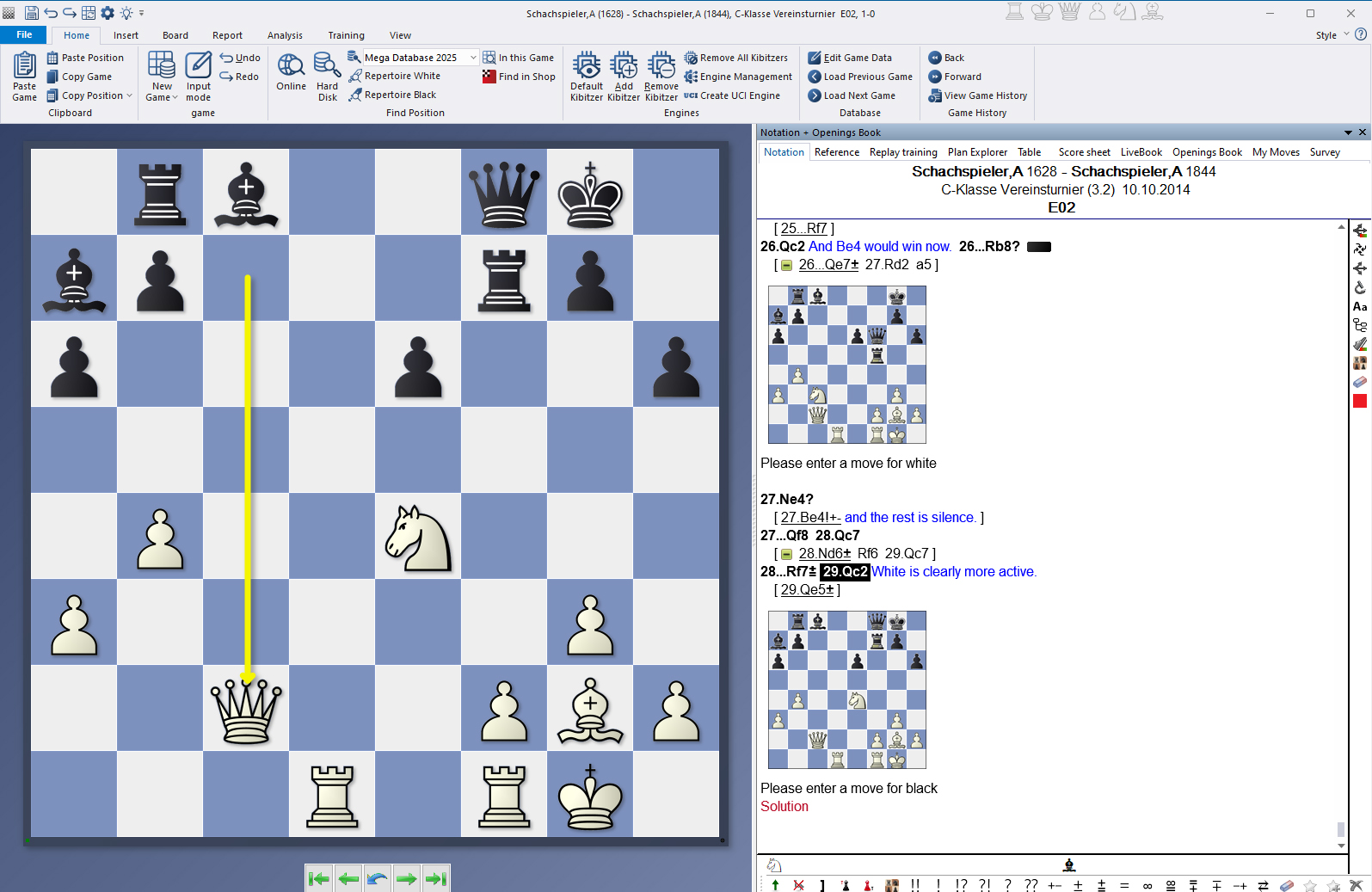
Here, the first problem has already been solved, and after 28...Rf7 and 29.Qc2, the evaluation appears, followed by an improvement, and finally the next diagram with a training problem. A total of seven practice problems have been integrated into this game, some of which test White's moves, some of which test Black's moves.
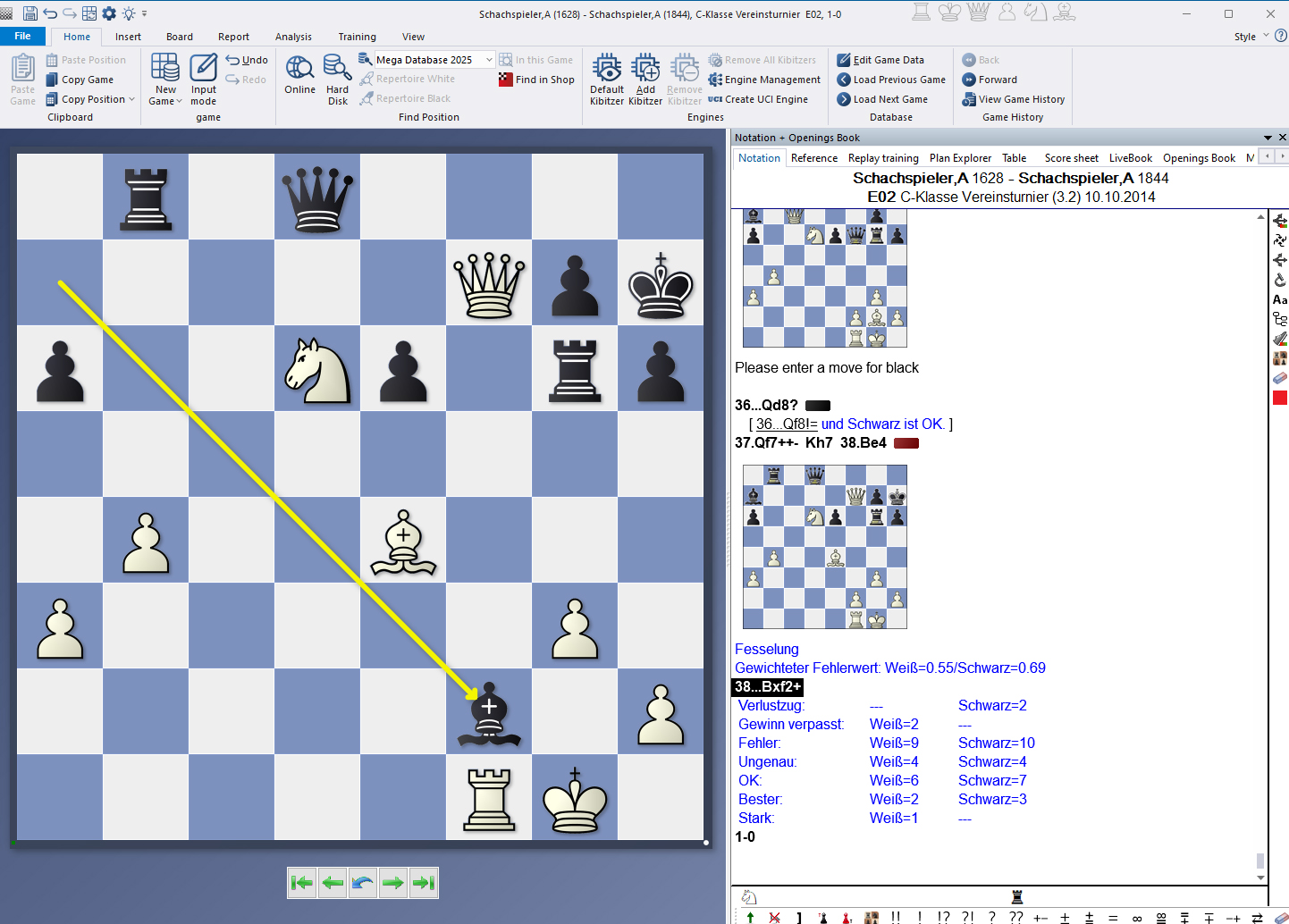
A glance at the end of the game also reveals the differently coloured medals mentioned above, allowing for a later, targeted medal search across the entire database, e.g., for "Tactical Blunder" or "Sacrifice" (more on this in a later tutorial). For example, if you click on the last one above the final diagram, the bishop's move will receive a yellow arrow.
In addition, the motif “bondage” was added as a caption under the diagram.
Below are statistics about the game.
Conclusion
It’s very impressive! You'll automatically receive an analysis with training exercises that you can also use in club training or to prepare for opponents. You just need a little patience while ChessBase´26 creates this "Tactical Analysis."
------
ChessBase has developed over decades to become what it is now in its 2026 version. The program has countless options, which we will present here in small portions – so you can design your interface for pleasant daily use and keep learning about new options and how to use them to get the most out of ChessBase´26 and save time.
We hope that this tip will help you to have more fun and be more successful when using ChessBase´26. You can find more tips and hints on our support pages and FAQ pages.
All parts of the series and more links: