We have already explained step by step in the first part of this series how easy it is to enter your own games with ChessBase. There we showed the first moves of a game and reached this position:

But let's say that you now would rather analyse an Open Sicilian (3.d4 with opening of the centre) instead of 3.Bb5, then you can either analyse this in a new board, or insert variations into this game or overwrite the unwanted moves. This episode of our support series shows you how to do this.
Inserting a new variation
You can click in the notation (1.e4 c5 2.Nf3 Nc6 3.Bb5 g6 4.0-0 Bg7) on the move 2...Nc6:

Now you have the following options for entering the 3.d4 that is typical for the Open Sicilian:
- You can enter the move with the mouse:
In this case, the following happens: the new move 3.d4 appears in square brackets, and because the main moves are now displayed in bold, this move and also further moves are clearly recognisable as a variation:

- You can press the SHIFT key while entering the move with the mouse:
In this case, the move 3.d4 appears as the new main move, and the rest of the previous variation is deleted:

- You can presst CTRL while entering the move with the mouse
In this case, the following menu window opens:

Here you can choose between "New variation", "New Main Line", "Overwrite", and "Insert". The results differ as follows:
"New variation": You get the same result as when you enter it using the mouse only (see above, first example).
"New main line": Here, the new move becomes the main move and the previous variation is put in brackets:

"Overwrite": This command inserts the new move in place of the old one, which is deleted from the notation:

"Insert": This command is a bit more complicated, but useful if you realise that you have placed a piece on the wrong square or, for example, have accidentally entered Rad1 instead of Raf1.
This command is used to replace a move in the middle of a line. All the other moves are retained – provided they are still legal. In our example, after 3.d4, the next black move 3...g6 would be playable, but not the following white castling, so it is deleted.

If 3.d4 had been replaced by 3.Bc4, castling would be possible and the result of the "Insert" command would be as follows:

Pro tip:
To practise, it is recommended that you remember the keyboard shortcut CTRL+Z or go via the "Start" menu and select "Undo" there. This allows you to cancel the last command (this also works in many Office applications).
“Chessbase is a must-have for any chess player who wants to improve his game! The MegaDatabase and its functions (prepare against White/prepare against Black) are invaluable for preparing for a game. The Opening Report function, which was added this year, gives you a great overview of new openings in just a few minutes.”
Fabian Bänziger (IM, Swiss A-squad member)
Switch on engine
Of course, when entering games and variations, it is usually also interesting to know the evaluation of these moves and whether or not they are theoretical moves. The engine and the opening book can easily be consulted for analysis:
Either you open the "Default Kibitzer" (as marked in the middle):

"Add Kibitzer" allows you to select an engine from the engines installed on the computer:
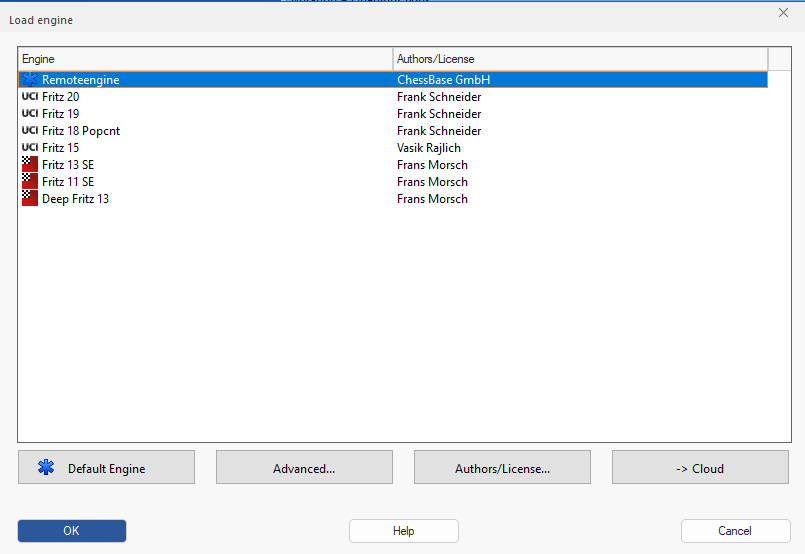
Now you can analyse anywhere in the notation, whether main line or side line. In the next episodes, we will take a closer look at the analysis options with the engine, also with the help of references and the opening book.
... and now have fun analysing your games!
------
ChessBase has developed over decades to become what it is now in its 2026 version. The program has countless options, which we will present here in small portions – so you can design your interface for pleasant daily use and keep learning about new options and how to use them to get the most out of ChessBase´26 and save time.
We hope that this tip will help you to have more fun and be more successful when using ChessBase´26. You can find more tips and hints on our support pages and FAQ pages.
All parts of the series and more links: