


5/19/2022 – Users of ChessBase are undoubtedly familiar with the Player Encyclopedia that comes with Mega Database, a massive archive of players and photos that allow you to view games with a picture of that player instead of just their name. There is an online version with ChessBase Account, but offers much more. Read the tutorial or watch the video to find out why.
new: Fritz 20
Your personal chess trainer. Your toughest opponent. Your strongest ally. FRITZ 20 is more than just a chess engine – it is a training revolution for ambitious players and professionals. Whether you are taking your first steps into the world of serious chess training, or already playing at tournament level, FRITZ 20 will help you train more efficiently, intelligently and individually than ever before.
At the airport, in the hotel or at home on your couch: with the new ChessBase you always have access to the whole ChessBase world: the new ChessBase video library, tactics server, opening training App, the live database with eight million games, Let’s Check and web access to playchess.com
EXPAND YOUR CHESS HORIZONS
It doesn't get any better than this: the premium equipment perfect for tournament players and professionals: with ChessBase program '26, Mega Database, CORR-Database and much more.
€499.90
If you are familiar with the Player Encyclopedia that comes with Mega Database, you might be expecting something similar: a large archive whose main visible perk is the addition of player images to the games.
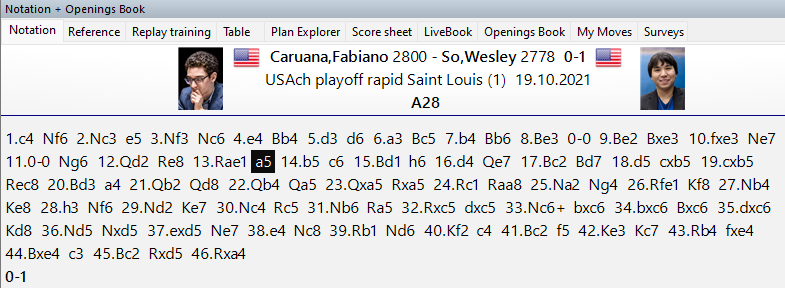
It is not a negligible aspect, since it adds to the user experience, but the online web app now included with ChessBase Account is a good deal deeper than that.
On the main page of ChessBase Account, you will find the link to the web app:
After you click on it, you are greeted with a colorful list of the Top 100 players:
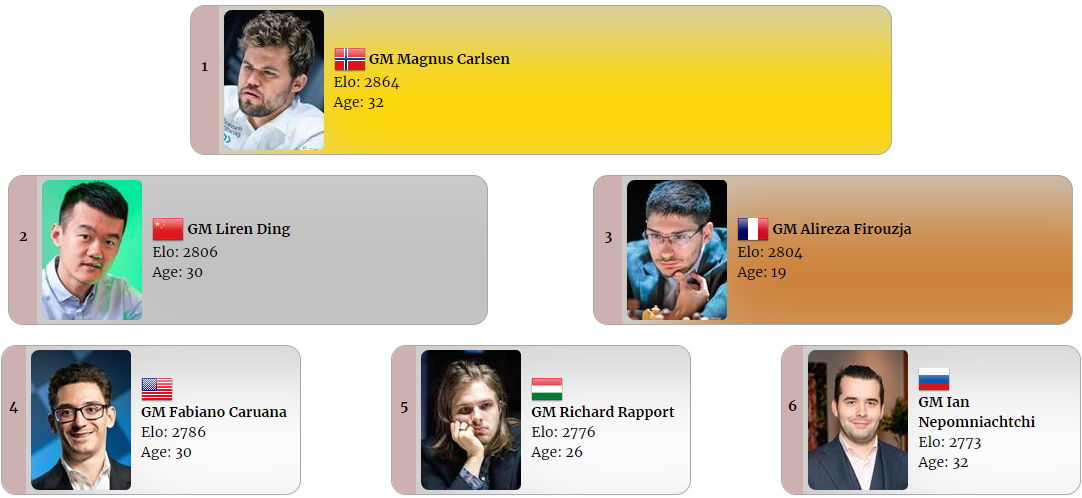
This list of players is but the tip of the iceberg of what the service has to offer. If you were to click on one of the players, say Magnus Carlsen, it will open up a very complete profile:
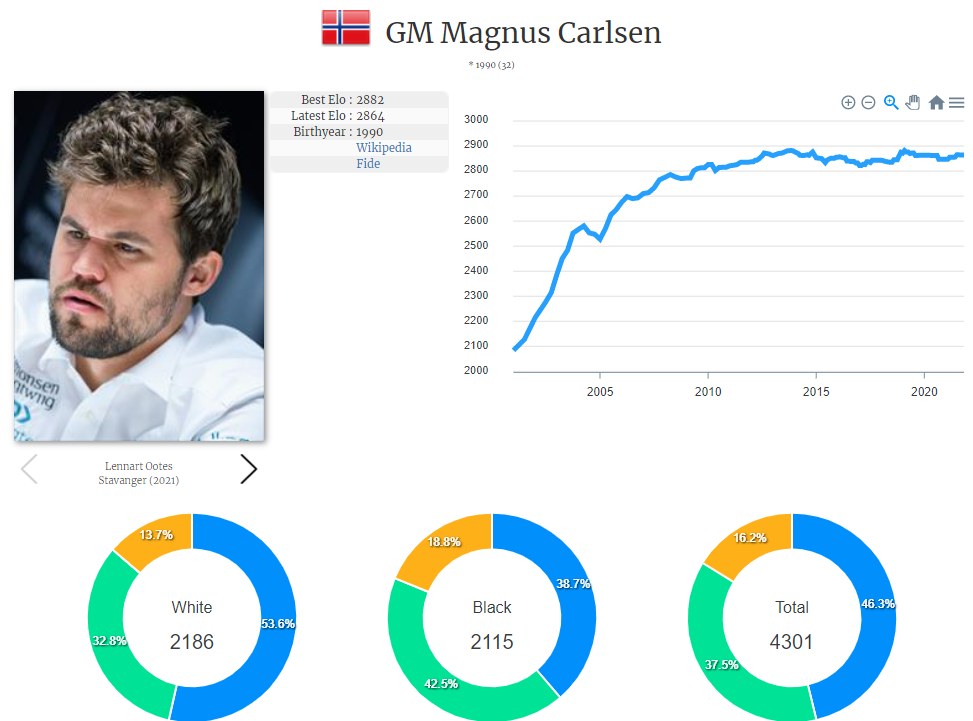
Here you will see not only his rating throughout his career, but a breakdown of his play with the openings from both sides of the board.
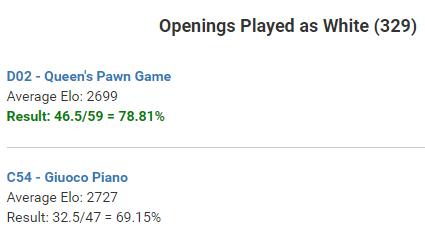
However, while this certainly provides very interesting data, you are not limited to searching the world's elite. You can also use it to search any player you choose. Using the search function at the top you can select anyone in the vast database exceeding 500,000 entries:
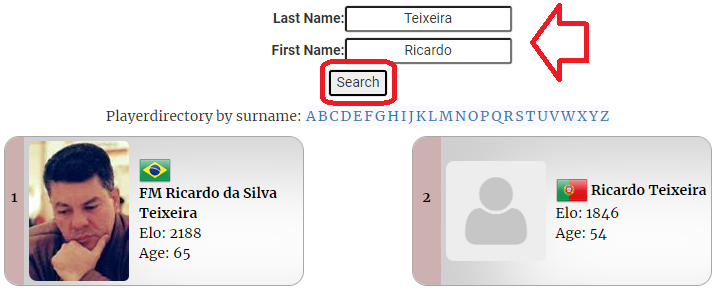
For example, you could enter a player such as Brazilian FM Ricardo Teixeira.
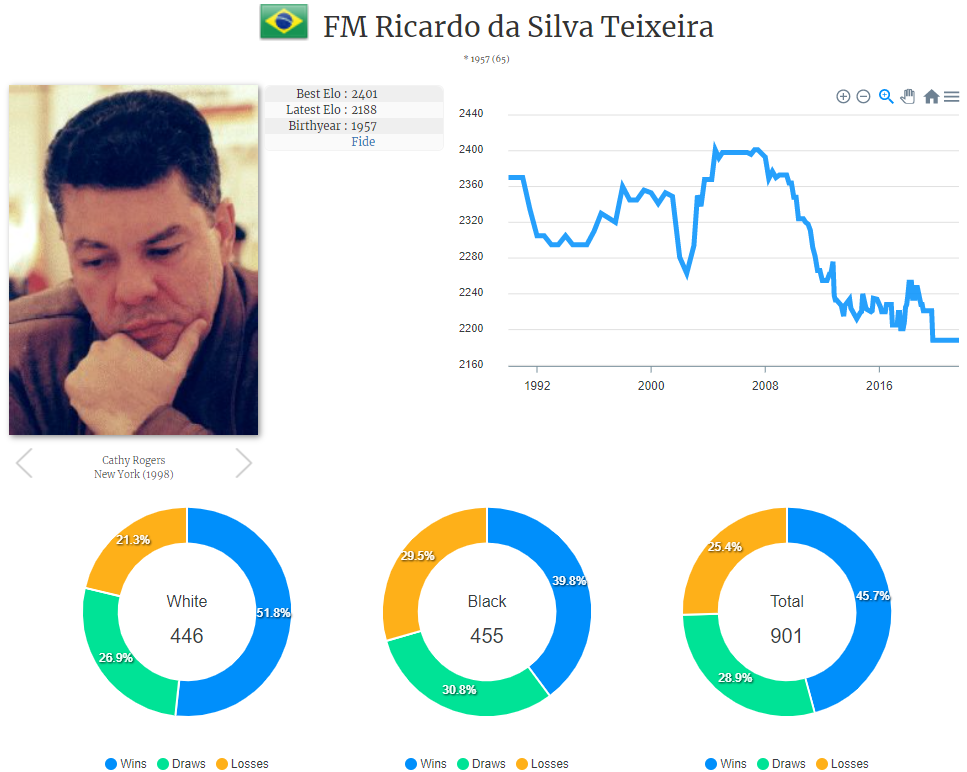
Here too you will have all the options you saw with Magnus, albeit without the stratospheric numbers. Suppose you wanted to prepare against him and decided to see his games playing the Sicilian Alapin, clearly one of his favored openings.
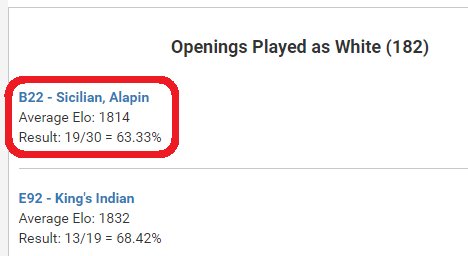
You would just click on the link:
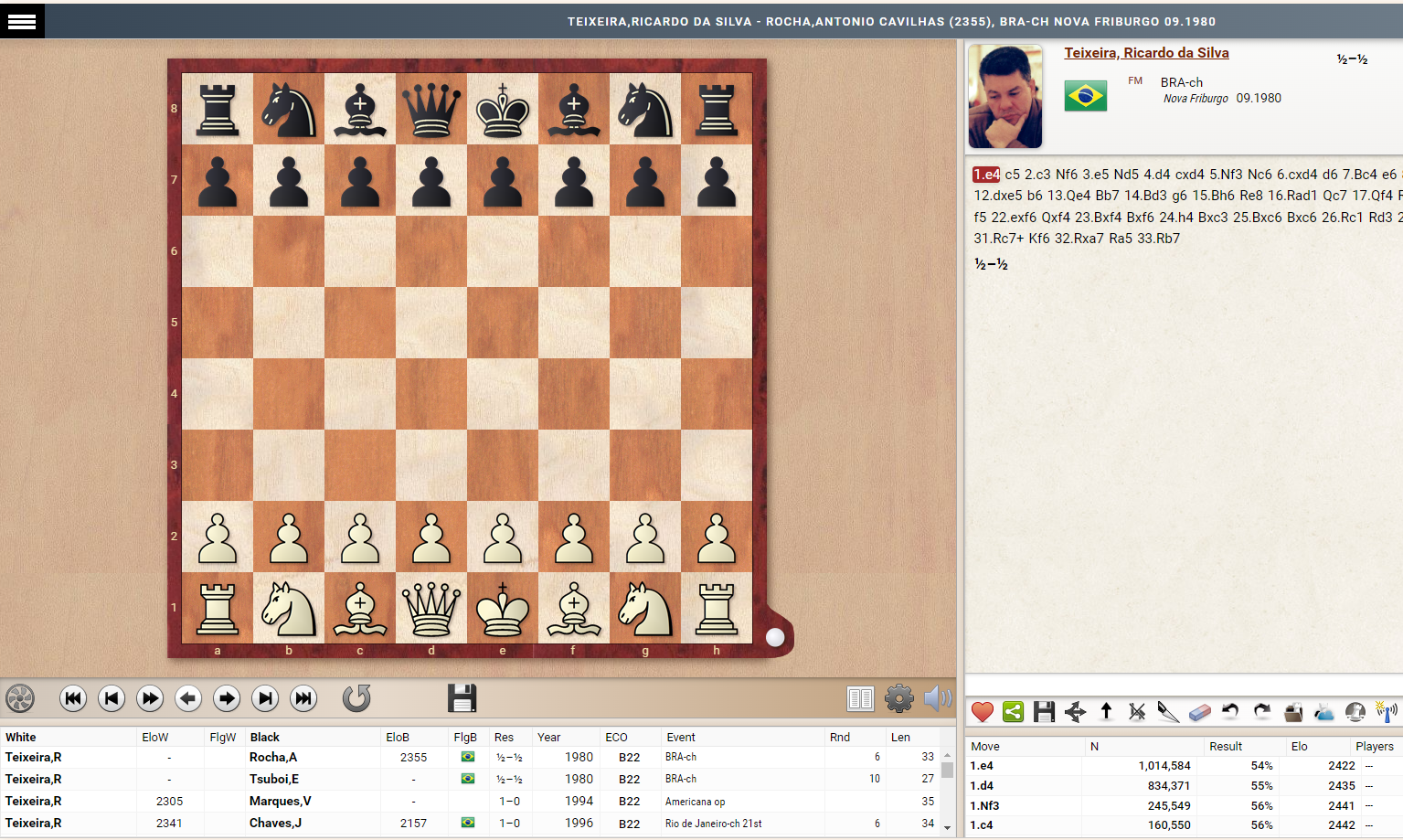
It opens to a full screen replayer, very reminiscent of ChessBase 16, and have at your fingers (or mouse cursor) a list of games, the opening statistics, the notation and more.
Your key to fresh ideas, precise analyses and targeted training!
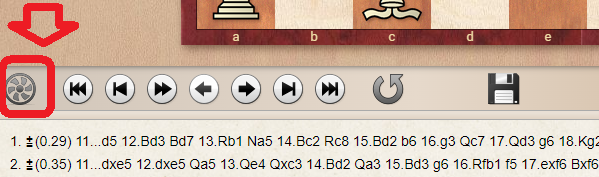
Suppose you wanted to launch an engine right there and then. At the bottom left, right under the board, click on the engine button.
Likewise you could save the games to your computer to investigate them in the software of your choice.
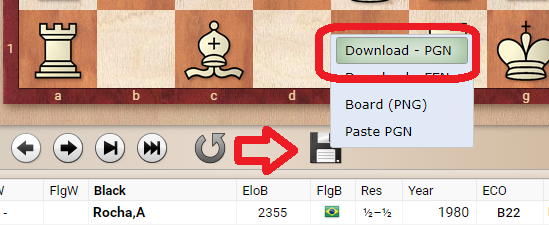
This not only saves the games to a PGN file, but copies the entire list to the clipboard so you can paste in any text editor. All you need to do is open a program such as Notepad, and press Ctrl-V to paste the contents.
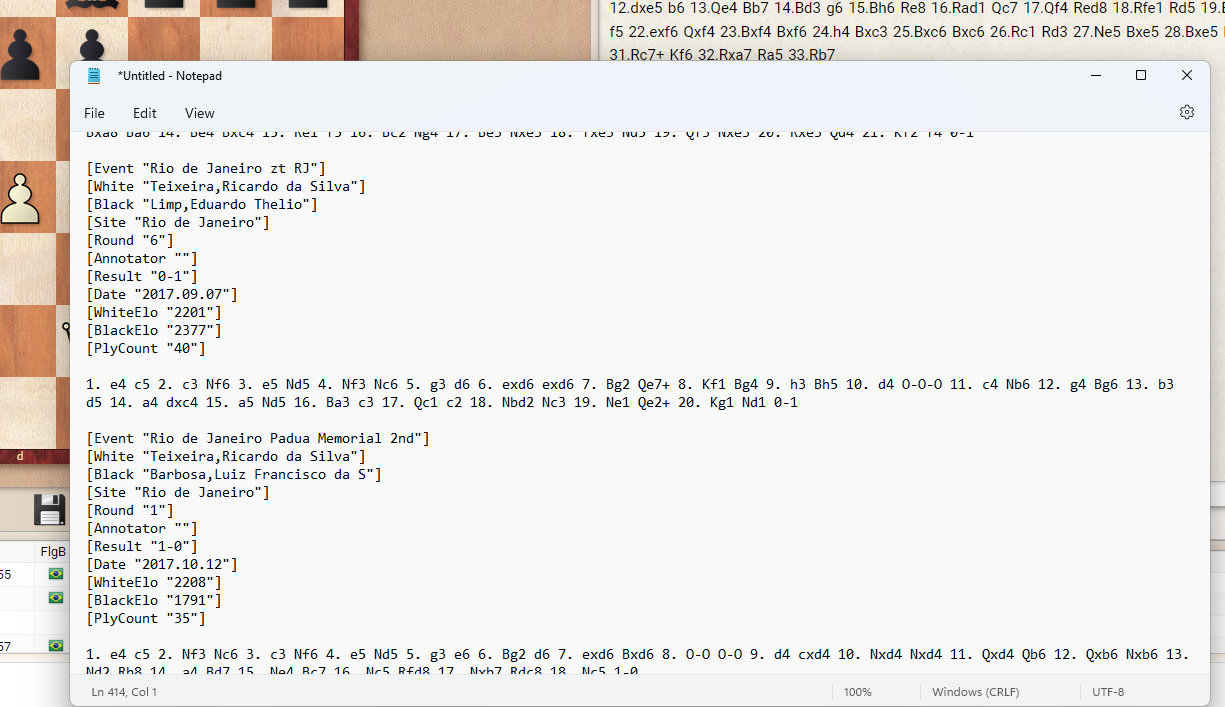
You can also open the PGN file, saved in your Downloads folder, with ChessBase 16:
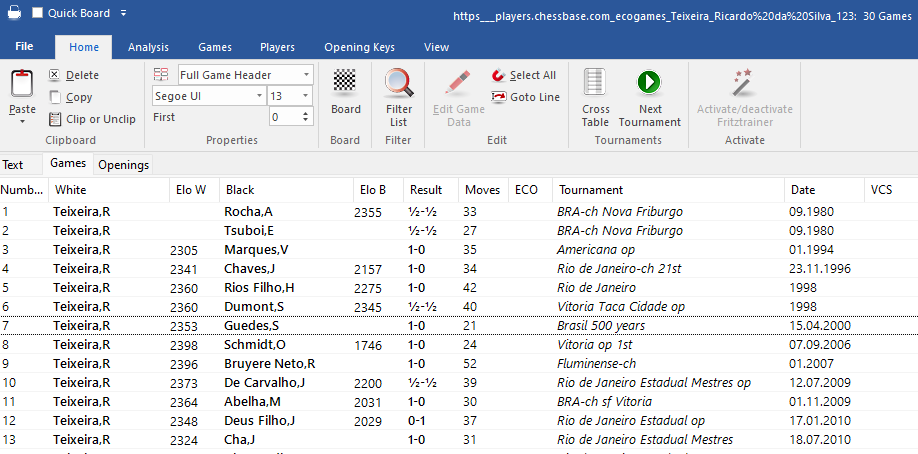
and that is how the core functionality of the Player Encyclopedia goes. You can also view the various lists such as the Top Women players, the Top Boys and the Top Girls. The options are legion so feel free to explore them and adapt them to your needs.
Albert SilverBorn in the US, he grew up in Paris, France, and after college moved to Rio de Janeiro, Brazil. He had a peak rating of 2240 FIDE, and was a key designer of Chess Assistant 6. In 2010 he joined the ChessBase family as an editor and writer at ChessBase News. He is also a passionate photographer with work appearing in numerous publications, and the content creator of the YouTube channel, Chess & Tech as well as the author of Typing Tomes, a powerful typing program.
GM Blohberger presents a complete two-part repertoire for Black: practical, clear, and flexible – instead of endless theory, you’ll get straightforward concepts and strategies that are easy to learn and apply.
Opening videos: Sipke Ernst brings the Ulvestad Variation up to date + Part II of ‘Mikhalchishin's Miniatures’. Special: Jan Werle shows highlights from the FIDE Grand Swiss 2025 in the video. ‘Lucky bag’ with 40 analyses by Ganguly, Illingworth et al.
In this video course, Grandmaster Ivan Sokolov explores the fascinating world of King’s Indian and Pirc structures with colours reversed, often arising from the French or Sicilian.
EXPAND YOUR CHESS HORIZONS
It doesn't get any better than this: the premium equipment perfect for tournament players and professionals: with ChessBase program '26, Mega Database, CORR-Database and much more.
€499.90
We use cookies and comparable technologies to provide certain functions, to improve the user experience and to offer interest-oriented content. Depending on their intended use, analysis cookies and marketing cookies may be used in addition to technically required cookies. Here you can make detailed settings or revoke your consent (if necessary partially) with effect for the future. Further information can be found in our data protection declaration.
Pop-up for detailed settings
We use cookies and comparable technologies to provide certain functions, to improve the user experience and to offer interest-oriented content. Depending on their intended use, cookies may be used in addition to technically required cookies, analysis cookies and marketing cookies. You can decide which cookies to use by selecting the appropriate options below. Please note that your selection may affect the functionality of the service. Further information can be found in our privacy policy.
Technically required cookies
Technically required cookies: so that you can navigate and use the basic functions and store preferences.
Analysis Cookies
To help us determine how visitors interact with our website to improve the user experience.
Marketing-Cookies
To help us offer and evaluate relevant content and interesting and appropriate advertisement.